
|
|
|
|
Search Duplicate Files in Servers and NAS Storage Devices
DupScout allows one to search duplicate files in all network shares of one or more servers or NAS storage devices on the network. In order to search duplicates in one or more servers, open the duplicates search dialog, press the 'Add' button located on the right side of the list of search locations, select the 'Servers or NAS Devices' mode and enter one or more host names or IP addresses separated by the semicolon (;) character. 
DupScout will scan the network and show a list of network shares detected in the specified servers and NAS storage devices allowing one to select one or more network shares that should be processed. In order to be able to use this feature, the user needs to have permissions to access network shares. 
The network shares scanning operation may be performed multiple times for different servers and NAS storage devices and an unlimited number of network shares from different servers may be added to the duplicate files search operation. During runtime, DupScout will search duplicate files in all the specified network shares in parallel using all CPUs and/or CPU-cores available in the host computer DupScout is running on. 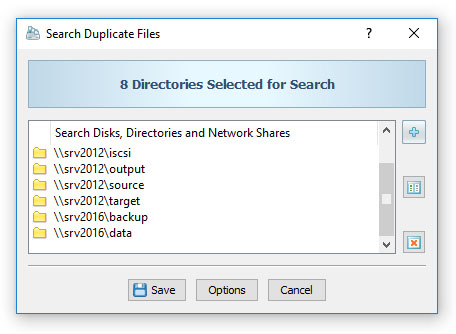
Another option is to search duplicate files in all servers and/or NAS storage devices available on the network. In order to search duplicates in all servers on the network, open the duplicate files search dialog, press the 'Add' button located on the right side of the list of search locations, select the 'All Servers on the Network' mode and press the 'Ok' button. 
DupScout will scan the network and show a list of servers and NAS storage devices detected on the network. Select one or more servers or NAS storage devices to search duplicate files in and press the 'Ok' button. 
DupScout will scan the selected servers and show a list of network shares detected in the servers and NAS storage devices allowing one to select one or more network shares that should be processed. During runtime, DupScout will process the selected network shares in parallel using all CPUs available in the host computer DupScout is running on. In order to be able to use this feature, the user needs to have permissions to access network shares. 
|
DupScout News
|


